Santander is one of the UK's biggest high street banks, particularly popular with small businesses. Their statements look clean enough at first glance. Then you try to extract the data.

Santander business statements have some unique quirks that make them genuinely awkward to parse. Not because the layout is bad - it's actually fairly clean - but because of what they stuff around the transactions.
Marketing in Your Statement
Open a Santander business statement and the first thing you'll see isn't your transactions. It's this:
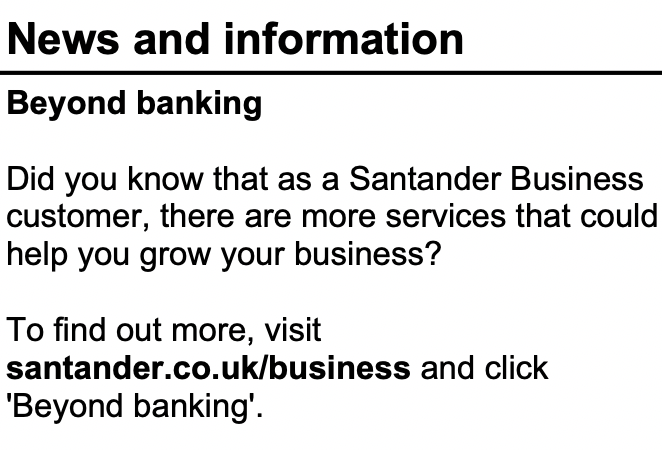
"News and information." "Beyond banking." A paragraph encouraging you to visit santander.co.uk/business. This is marketing copy, printed directly on your bank statement.
For a human, it's easy to skip past. For a parser, this is noise that sits right where you'd expect account data to begin. A generic PDF extraction tool will pull this text out and try to make sense of it alongside your actual transactions. You need to know it's there and deliberately ignore it.
Fee Tables That Look Like Data
It gets worse. Santander statements also include structured tables like this:
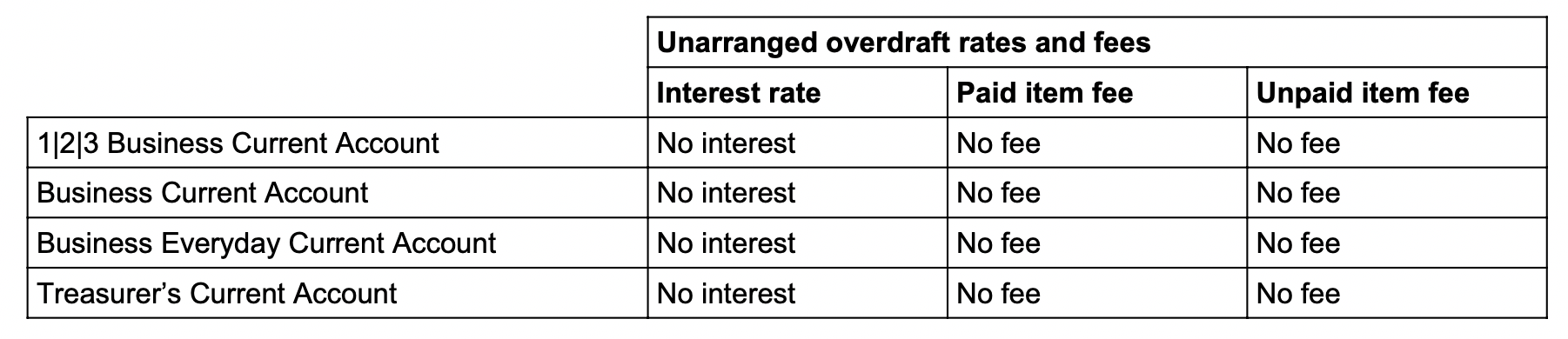
Unarranged overdraft rates and fees. Neatly formatted rows and columns. Account types, interest rates, paid item fees, unpaid item fees. It looks exactly like structured financial data - because it is. It's just not your data.
This is the kind of thing that trips up AI-based extraction tools. They see a well-structured table and assume it contains transactions. It doesn't. It's boilerplate terms and conditions that Santander prints on every statement. A parser needs to know the difference between your transaction table and their fee schedule.
The Previous Statement Balance
When you do find the actual transaction table, it starts like this:

Date. Description. Credits. Debits. Balance. Clean column headers. Then the first row: "Previous statement balance" with a balance of 12,401.17. No date. No credit or debit amount. Just a starting position.
This is similar to what Barclays does with their "Start Balance" row. It's not a transaction - it's context. Include it in your export and it'll throw off anyone trying to sum the columns. Exclude it carelessly and you lose the opening balance. You have to handle it as metadata, not as a row.
Transactions Without Balances
Here's the one that's easy to miss:

"INTEREST PAID AFTER TAX 0.00 DEDUCTED" - a credit of 3.13. But look at the balance column. It's empty. No running balance for this transaction.
Most Santander transactions include a running balance, but not all of them. Interest payments, charges, and certain system-generated entries can appear without one. If your parser expects every row to have a balance, it'll either crash or silently misalign the data that follows.
You need to handle missing balances gracefully - carry forward the previous balance, calculate from the transaction amount, or flag the gap. What you can't do is assume every row is complete.
Ordinal Dates
One more thing. Look at the date format: "3rd May". Not "3 May" or "03/05". Santander uses ordinal suffixes - 1st, 2nd, 3rd, 4th, and so on. And like most UK bank statements, there's no year.
Most date parsers handle "3 May" just fine. Fewer handle "3rd May" without choking on the suffix. It's a small thing, but small things add up when you're processing hundreds of pages.
Clean Surface, Hidden Mess
Santander statements aren't ugly. They're not formatted like HSBC's mainframe output or laid out in landscape like Starling. They look reasonable. The difficulty is that the actual transactions are buried between marketing content, fee schedules, and informational tables that a parser needs to navigate around.
It's not enough to find and extract a table. You need to find the right table, skip the non-transaction rows, handle missing balances, and parse dates with ordinal suffixes. Every Santander statement has these challenges, and they need Santander-specific logic to handle correctly.
Got a Santander Statement?
We handle the quirks so you don't have to. First conversion free.
Convert a Statement